Basic Draw
Winner Draw
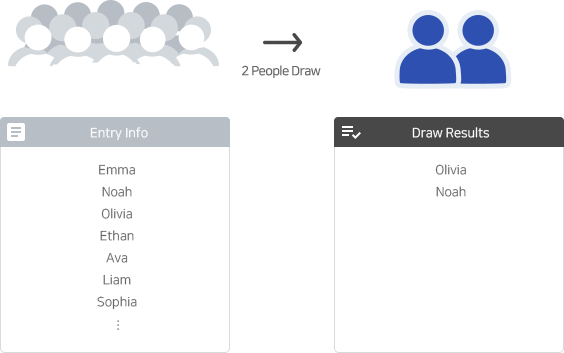
It randomly selects winners from the total number of entry.
We offer a wide range of draw types so you can run any draw you want.
See the draw manuals to get the most out of UniPicker.
Basic Draw
It randomly selects winners from the total number of entry.
Basic Draw
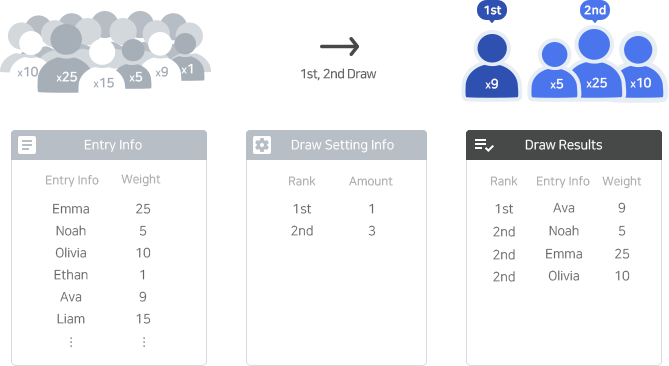
The draw as many winners as you have set for the rank/prize/group among all entry.
You can conduct a weighted drawing where the chances of winning for entry increase according to the weights you have set.
Basic Draw
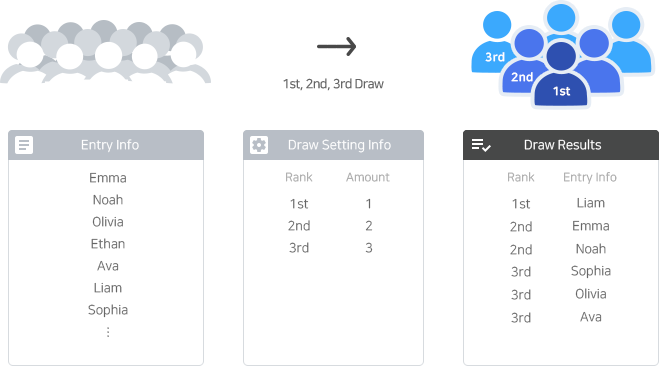
The draw will randomly select winners from the total entries, based on the number of winners set for each rank and each prize.
Basic Draw
Draw winners one by one from all entries based on set numbers for rank, prize, and group.
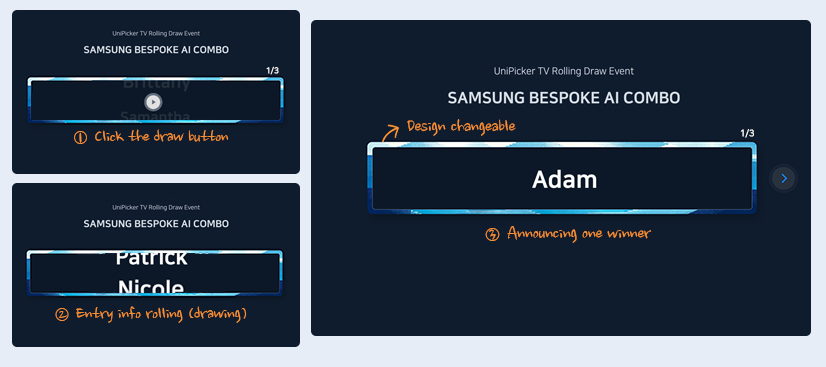
Pressing the draw button will roll through entry info to select winners.
Basic Draw
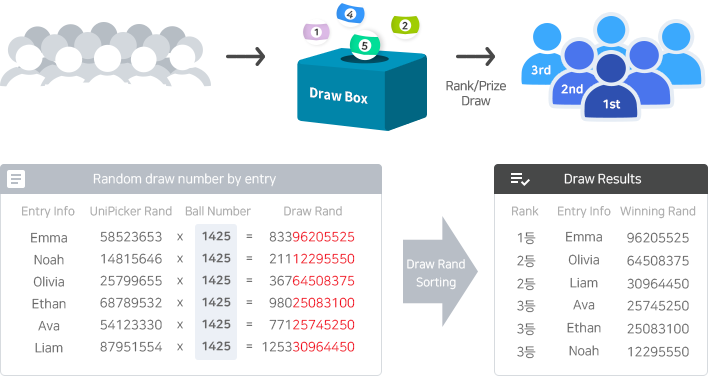
The draw in which the random number for the drawing is determined by the UniPicker random seed and the ball numbers drawn on site.
A fairer draw can be conducted by allowing draw-related persons or entry to participate in the draw.
But, it may be The fairness can only be guaranteed when the draw process is conducted in real-time and publicly disclosed.
Basic Draw
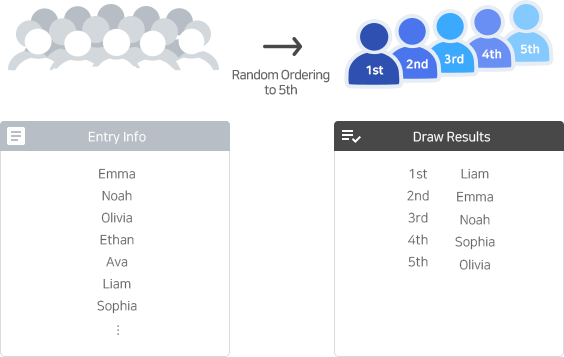
This is a draw that assigns a specified number of winners based on the order of the entries.
Basic Draw
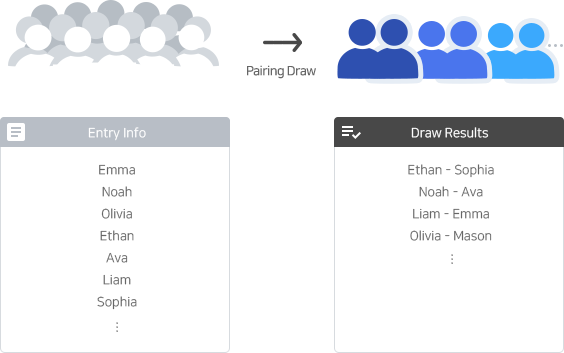
The draw that pairs two entries together.
Basic Draw
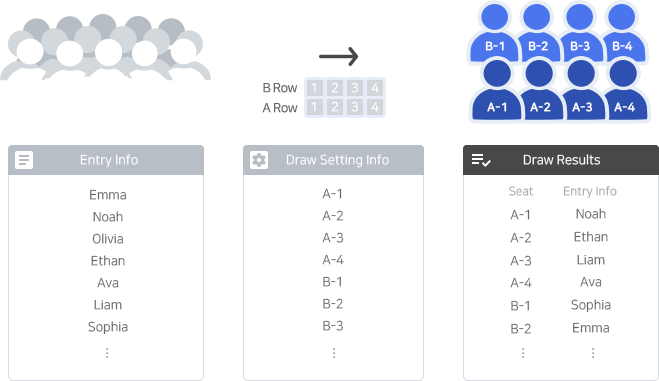
This draw assigns each entrant a seat or position.
Giftcon Draw
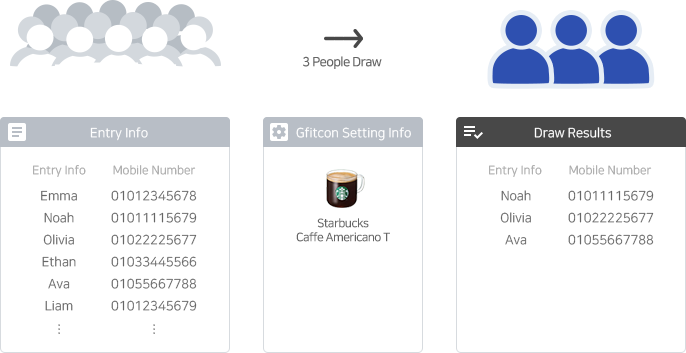
It randomly selects winners from the total number of entry.
After the draw, you can send giftcon to the winner.
Giftcon Draw
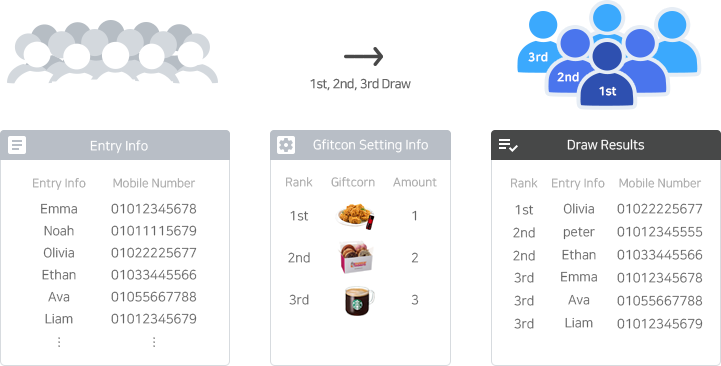
The draw will randomly select winners from the total number of entries, based on the number of winners set for each rank, prize, or group. After the draw, you can send gifticons to the winners.
Giftcon Draw
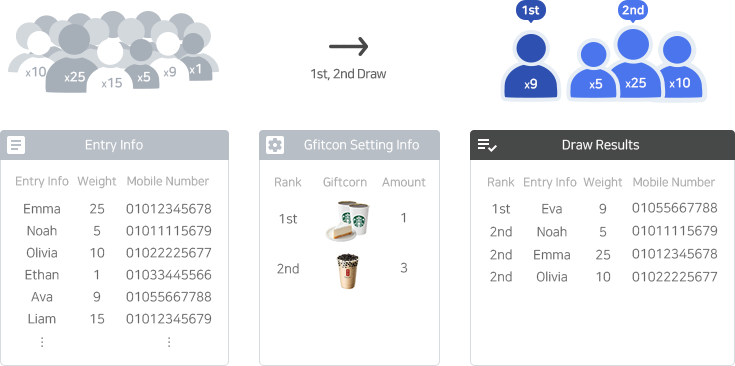
The draw as many winners as you have set for the rank/prize/group among all entry.
You can conduct a weighted drawing where the chances of winning for entry increase according to the weights you have set.
After the draw, you can send giftcon to the winner.
SMS Entry Draw
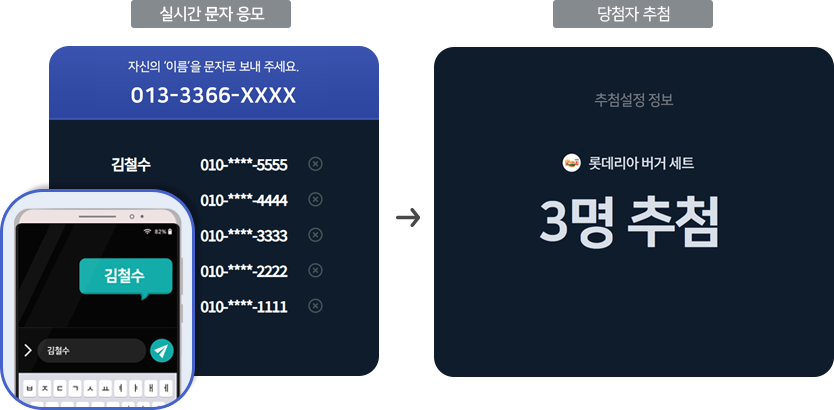
A one-time SMS number is issued for SMS entry. When entrants send their name by SMS, they are entered in real time.
Draws winners from all entrants, as many as the number you set.
SMS Entry Draw
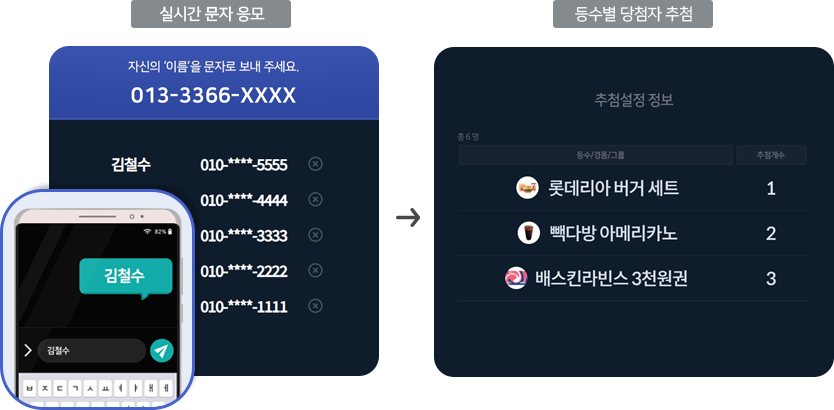
A one-time SMS number is issued for SMS entry. When entrants send their name by SMS, they are entered in real time.
Draws winners from all entrants by rank/prize/group, as many as the number set for each.
SMS Entry Draw
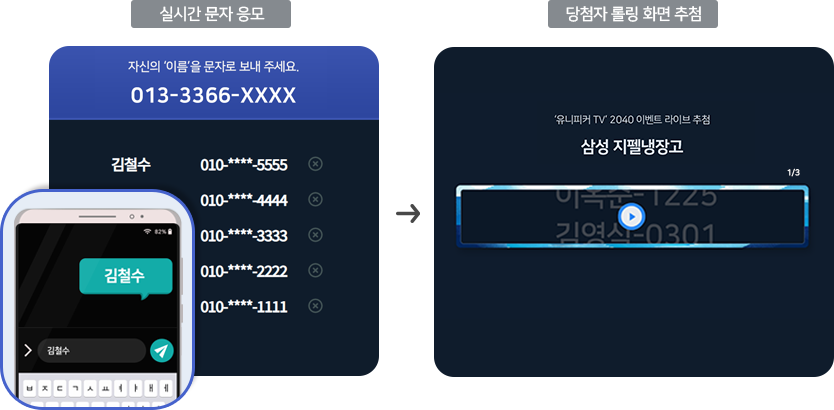
A one-time SMS number is issued for SMS entry. When entrants send their name by SMS, they are entered in real time.
Draws winners from all entrants by rank/prize/group, as many as the number set for each.
When you press the draw button, entrant info rolls through to pick a winner.
Group Draw
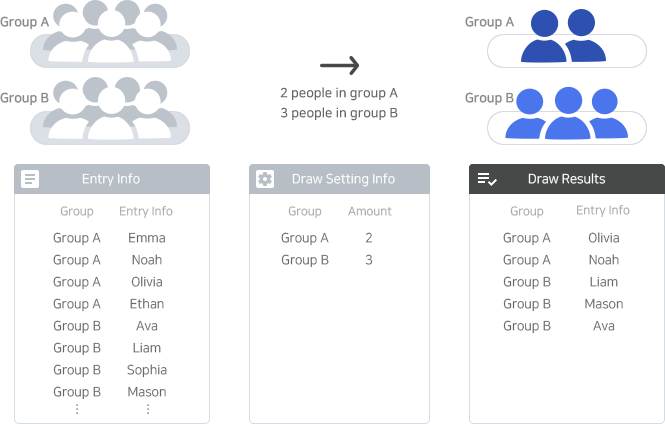
This draw selects winners based on the number of winners set for each group of entrants.
Group Draw
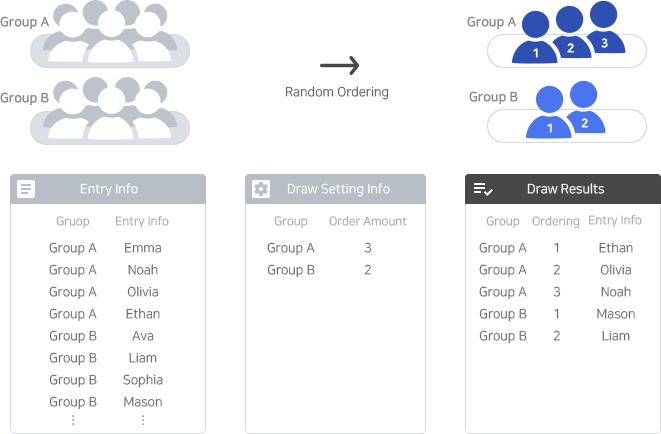
This draw assigns a sequential number to each entrant in each group as many as the specified number.
Group Draw
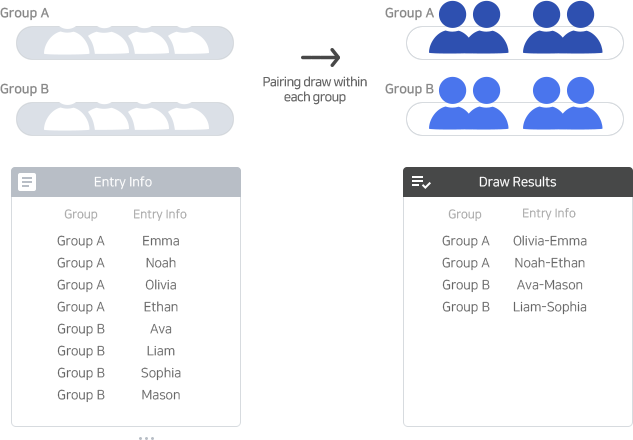
This draw pairs two entrants together within the same group.
Group Draw
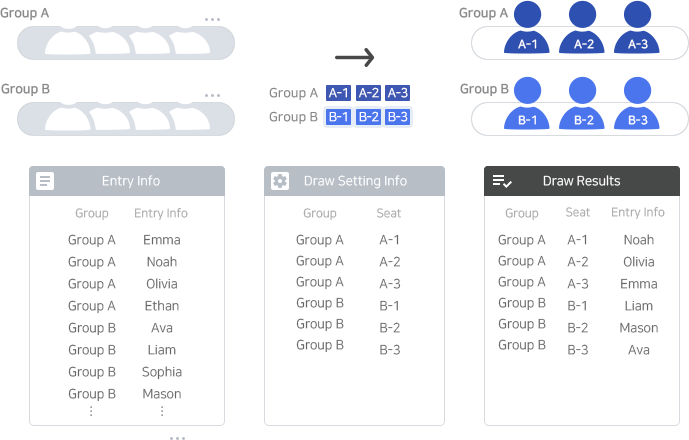
This draw assigns seats to each entrant according to their group.
Group Draw
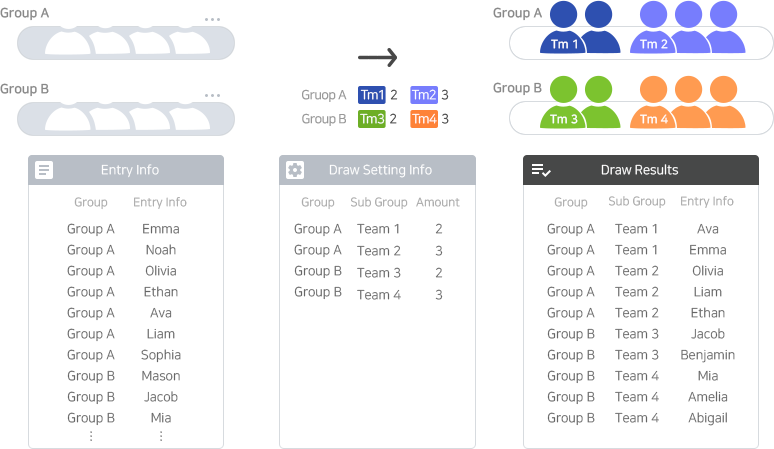
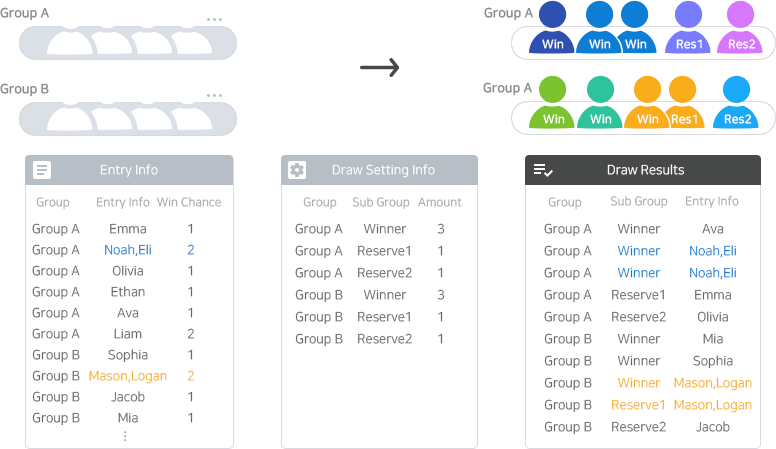
This draw selects a certain number of winners per sub-group (team/class) specified in each group.
This draw is commonly used for after-school program draw in elementary schools.
Group Draw
If one participant has multiple chances (e.g. twins), they are assigned together.
Each subgroup gets the set number of winners.
Lucky Number Draw
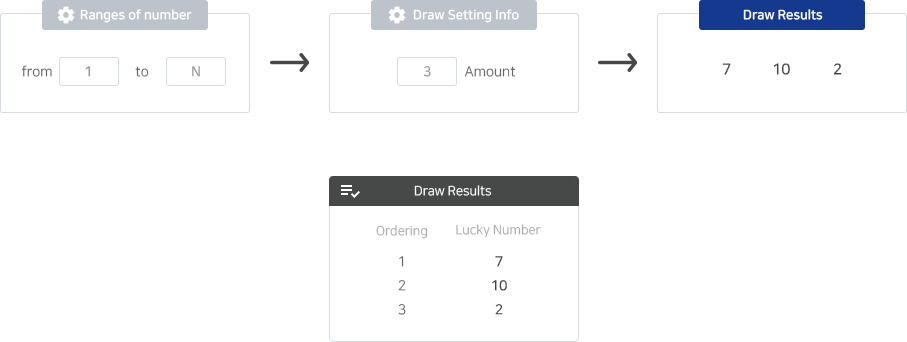
This draw randomly selects lucky numbers from a specified range of numbers.
Lucky Number Draw
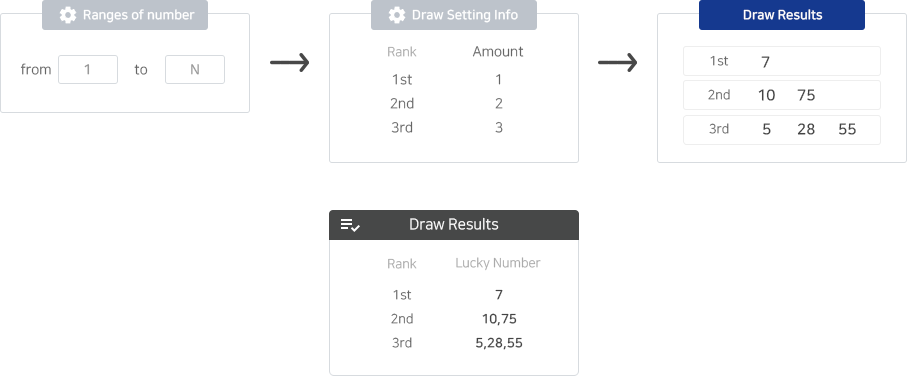
This draw randomly selects lucky numbers from a specified range of numbers for each group/ranking.
Lucky Number Draw
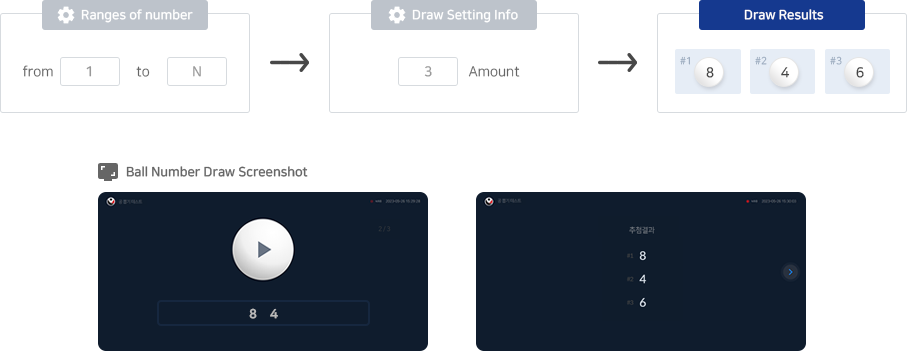
This draw randomly selects one number from a specified range of ball numbers.
Lucky Number Draw
This drawing that assigns entry numbers to participants and selects winners by drawing balls.
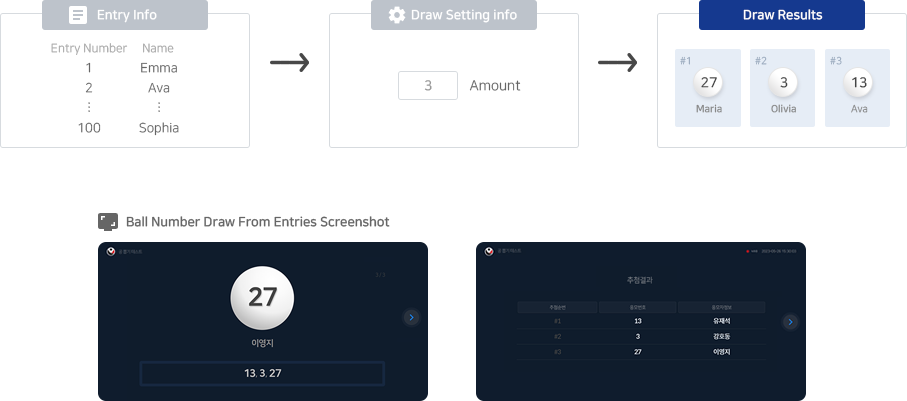
Lucky Number Draw
This draw is for selecting 6 winning numbers and 1 bonus number among the numbers 1 to 45 for lotto.
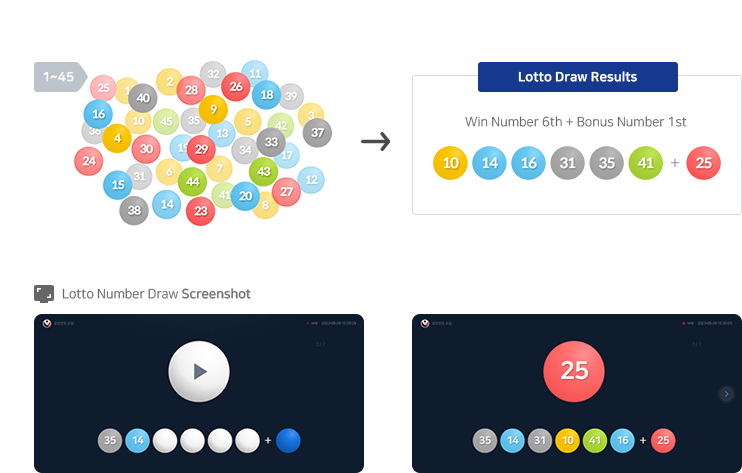
Lucky Number Draw
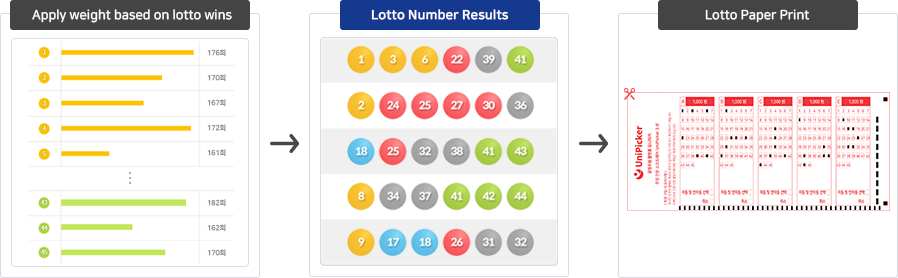
We generate lotto number by applying the statistics of the winning numbers of the official lotto drawing as a weight.
The generated lotto number can be received email or print a lotto sheet to purchase lotto tickets.
House Draw
This draw selects winners by House Number for each type/group/category of Applicant.
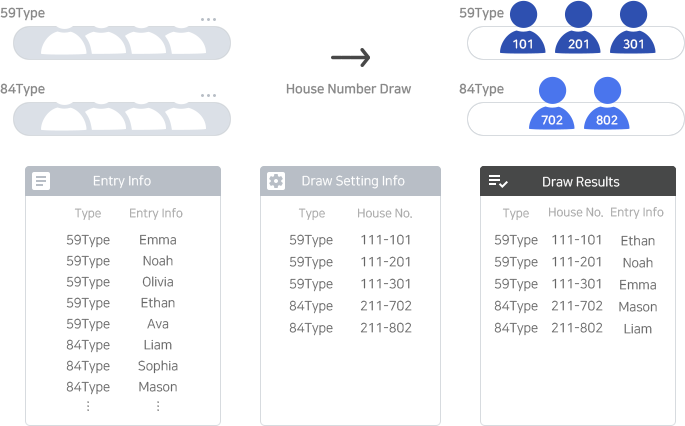
House Draw
This draw selects the backup order of applicants for each group.
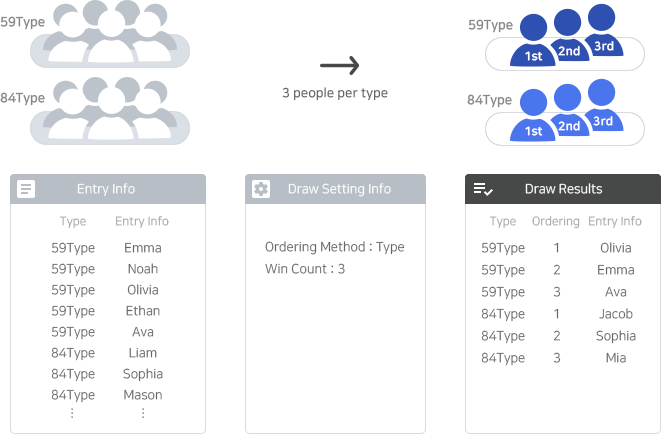
House Draw
This draw assigns rooms categorized by types/groups to different groups (hierarchies, rankings, etc.).
It is a draw used when allocating housing to different demographic groups such as newlyweds, seniors, youths, etc.
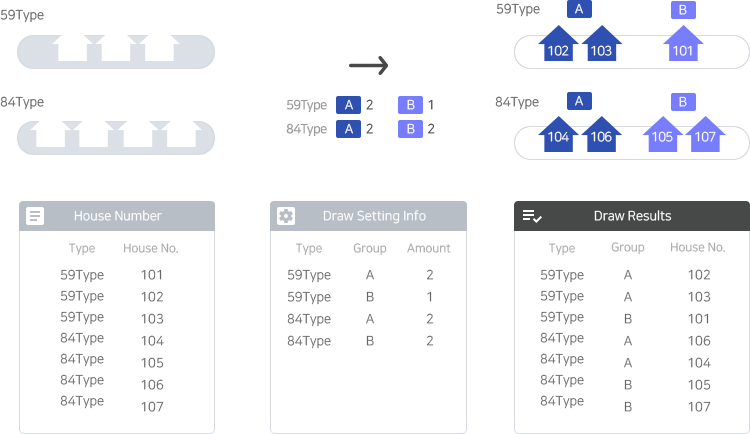
Mass Entry Draw
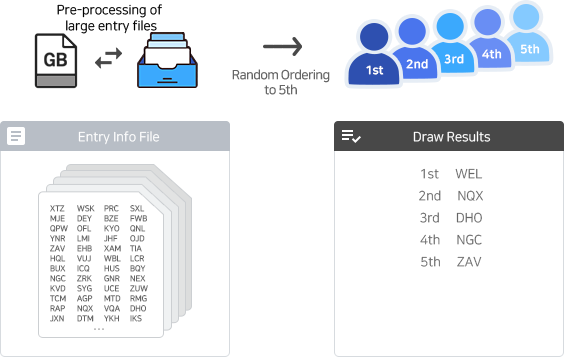
Select winners from a large number of entries. Even millions of entries can be processed in one fast draw.
※ This feature requires pre-processing of large entry files and is a paid service. Support cs@bbmobile.co.kr
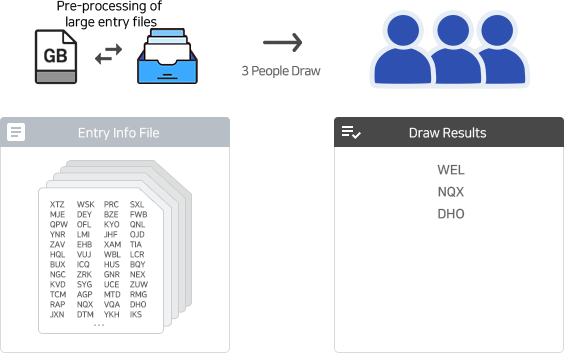
Mass Entry Draw
Draw ranked winners from large entry data. Even millions of entries can be processed quickly in one draw.
※ This feature requires pre-processing of large entry files and is a paid service. Support cs@bbmobile.co.kr
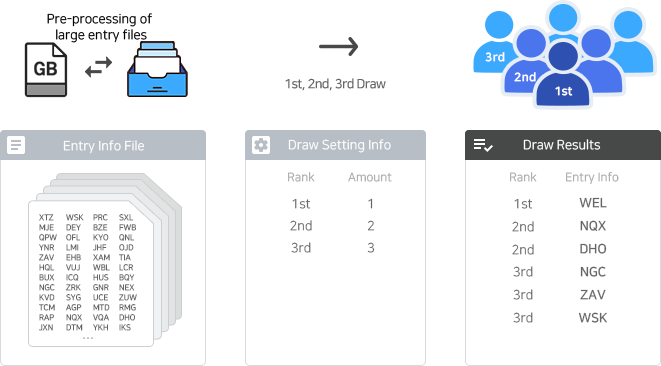
Mass Entry Draw
Assign order numbers to many entries at once. Even millions of entries can be processed in one draw.
※ This feature requires pre-processing of large entry files and is a paid service. Support cs@bbmobile.co.kr
SNS Draw
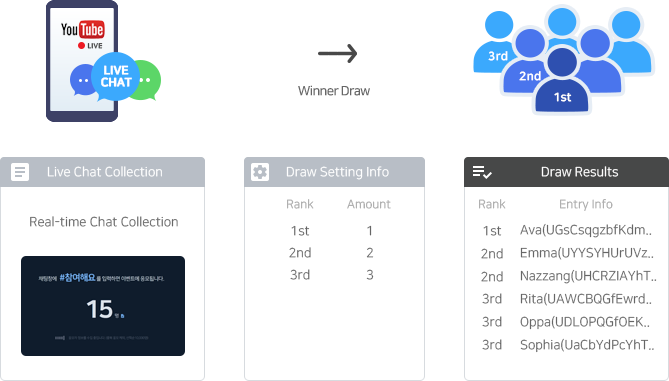
During a YouTube live broadcast, you can conduct a draw for chat entry.
You can select winners from all chat participants who participated during the event or only those who typed specific keywords in the chat window.
SNS Draw
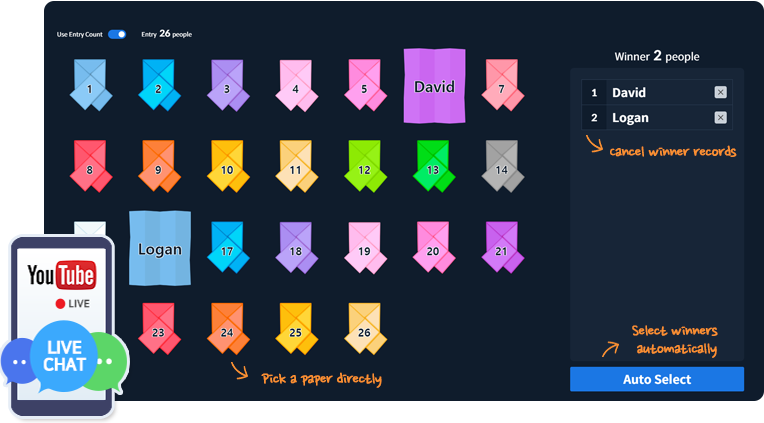
A paper draw can be conducted for chat entries during a YouTube live stream.
A paper can be picked manually or selected automatically, with up to 10,000 entries allowed.
Entries are limited to 10,000.
SNS Draw
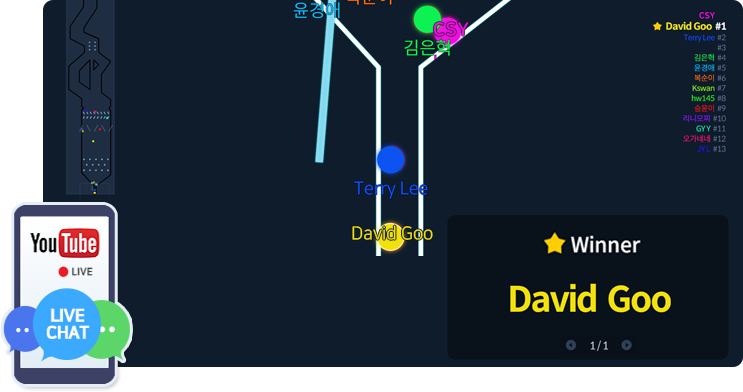
During a YouTube live stream, a pinball draw can be held for chat entries.
The endpoint passing order determines winners, with various settings available.
Up to 1,000 entries are allowed. If chat entries exceed 1,000, a preliminary draw selects pinball entries.
※ The draw screen may lag on low-spec PCs.
※ The pinball draw was developed using source code under the MIT license by LazyGyu (https://github.com/LazyGyu).
SNS Draw
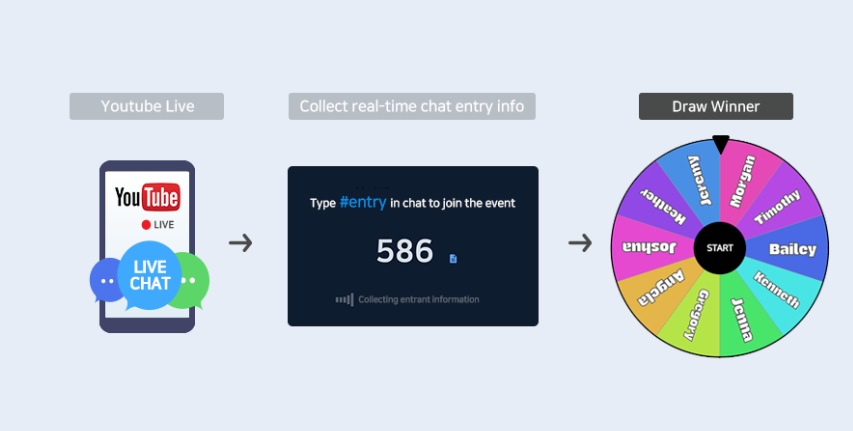
During a YouTube live, spin the roulette to select winners among chat entries.
Roulette has a maximum of 200 entries. In the draw screen, set the order of roulette participation to 'Entry Order' or 'Random'
If multiple prizes, select one for winners after drawing.
SNS Draw
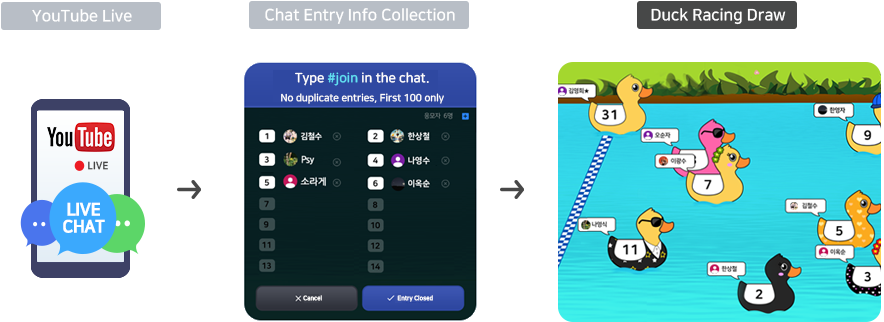
During a YouTube live stream, a duck race can be held for chat entries.
Ducks race to the finish line, and winners are determined by the order they finish.
SNS Draw
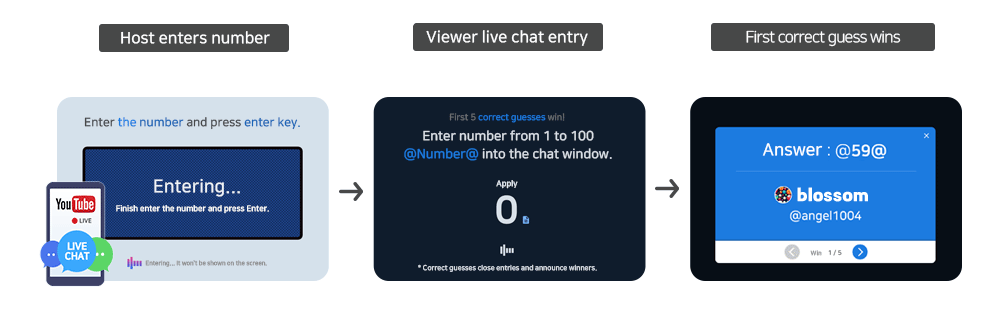
During a YouTube live broadcast, can hold a number guessing event for chat entries.
The first person to guess the number entered by the host will be the winner.
SNS Draw
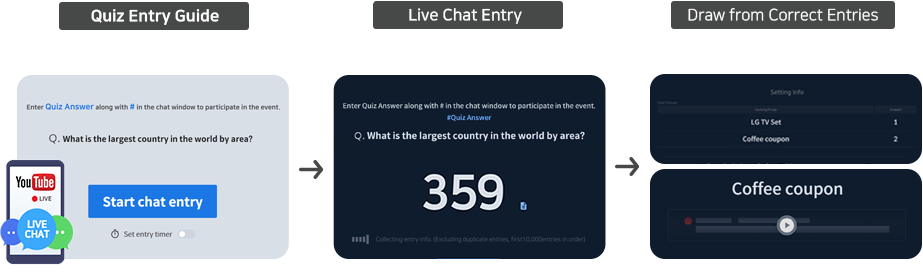
During the YouTube Live broadcast, a quiz event will take place for chat entries.
A winner will be randomly selected from those who enter the correct answer in the chat.
SNS Draw
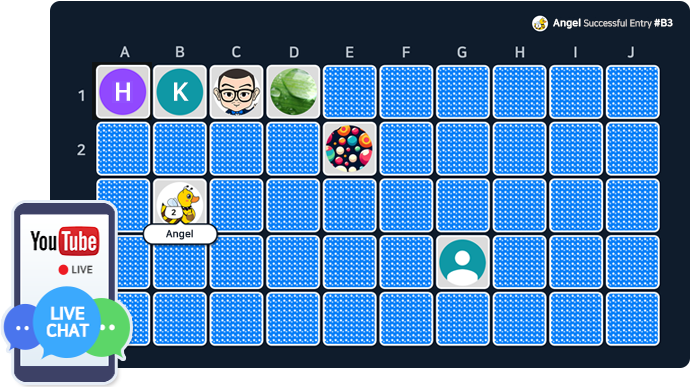
During a YouTube live broadcast, you can conduct a card flip draw for chat entry.
Entry enter the card number they want to flip in the chat.
After the entry period ends, flip the cards to reveal the winners.
SNS Draw
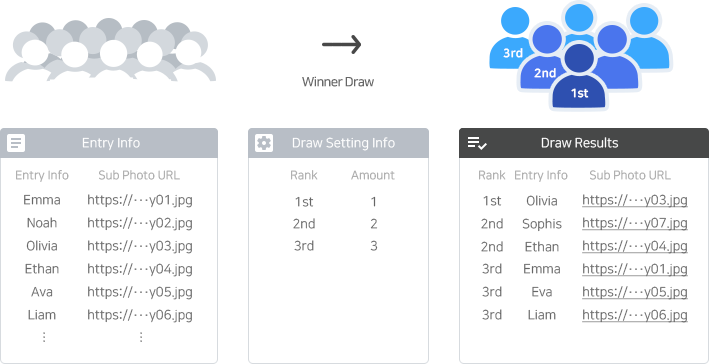
This draw randomly selects the number of winners set for each rank/prize/group from all entry.
The excel file of the draw result will provide the URL links to the winners' subscribe photos if available.
You can manually check the sub status by clicking on the provided link.
SNS Draw
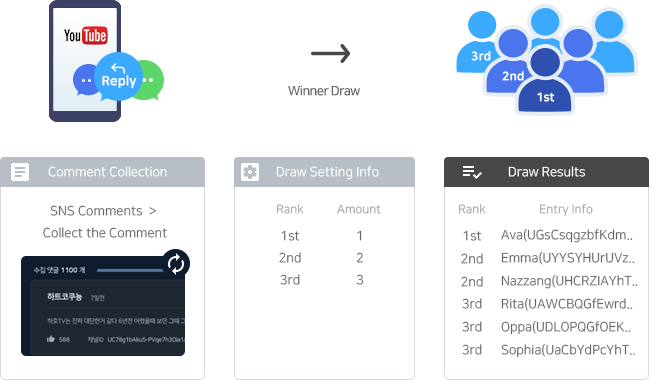
This draw randomly selects the number of winners specified per rank/prize/group from all entry.
You can use the "Draw Util > SNS Comment box" to collect YouTube comment info and use it for the draw.
SNS Draw
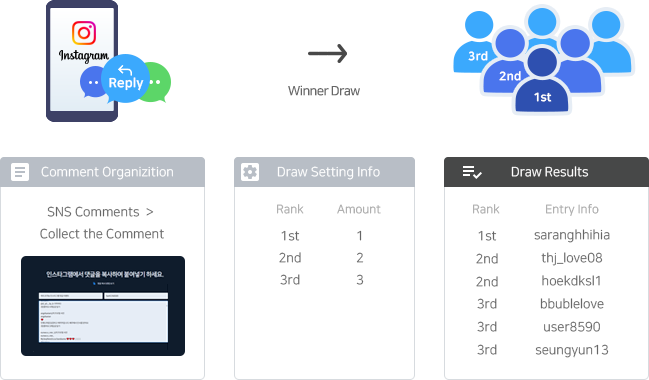
This draw randomly selects the specified number of winners based on the rank/prize/group from all entry.
You can use the "Draw Util > SNS Comment box" to collect Instagram comment information and use it for the draw.
We provide a 'Sub Verification' function for the winners.
Roulette Draw
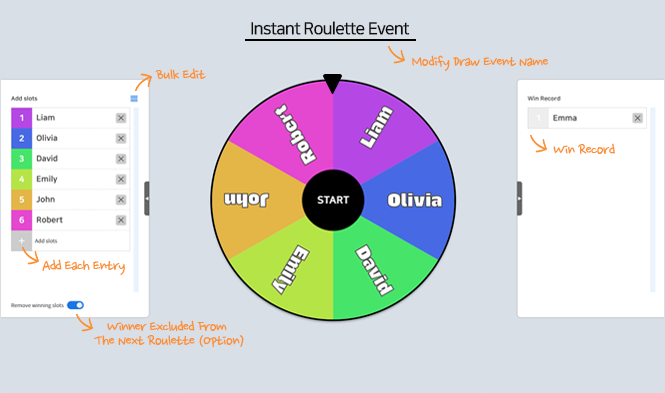
The roulette draw starts immediately and is automatically created in a basic format.
The drawer adds slots in the draw progress screen and spins the roulette to select the winners.
Roulette has a maximum of 200 entries.
Roulette Draw
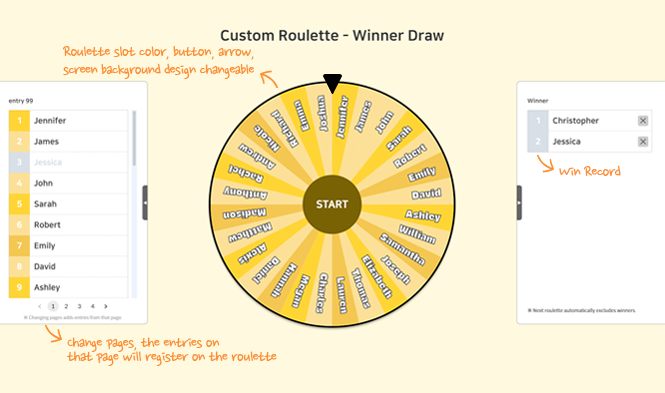
The drawer spins the roulette to select a winner.
Pre-register entries and customize the roulette design before the draw.
Roulette has a maximum of 200 entries. In the draw screen, set the order of roulette participation to 'Entry Order' or 'Random'
Roulette Draw
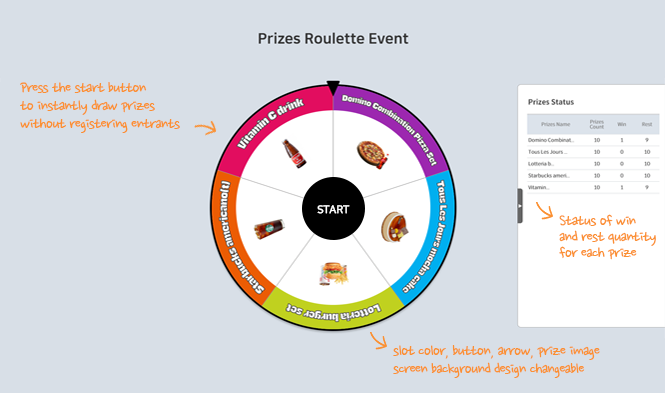
Press the start button to instantly draw prizes, no entry registration is needed.
Set the winning quantity and probability for each prize when creating the draw.
Roulette Draw
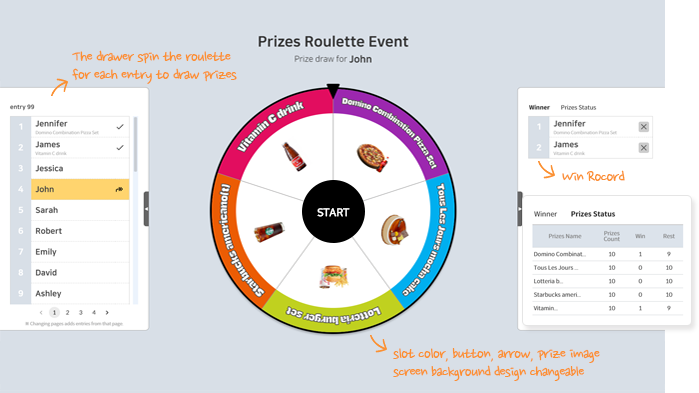
The drawer spins the roulette for each entry to pick winning prizes.
Entries can be pre-registered, and the roulette's design is customizable.
In the draw screen, set the order of roulette participation to 'Entry Order' or 'Random'
Roulette Draw
Entries can scan their entry barcode with a scanner to draw for winning prizes.
Entry barcodes and scanners must be prepared in advance.
Game Event Draw
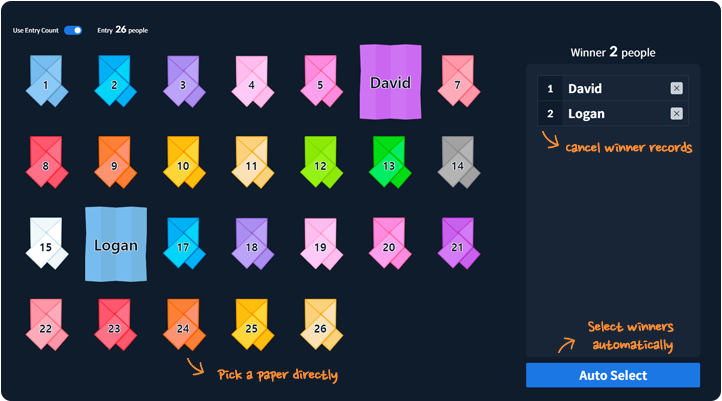
A paper can be picked manually or selected automatically.
The entry list is easily set up by entering names manually or choosing an automatic numbering option.
Game Event Draw
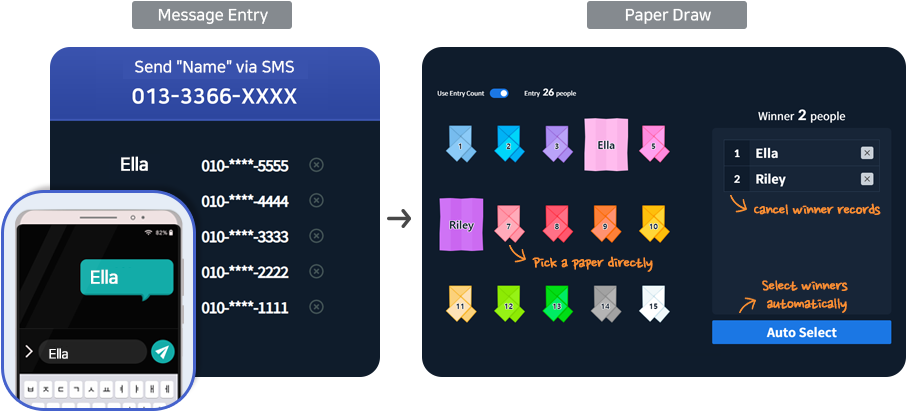
A one-time SMS number is issued for entry. Entries are submitted in real time when names are sent via SMS.
A paper can be picked manually or selected automatically.
Game Event Draw
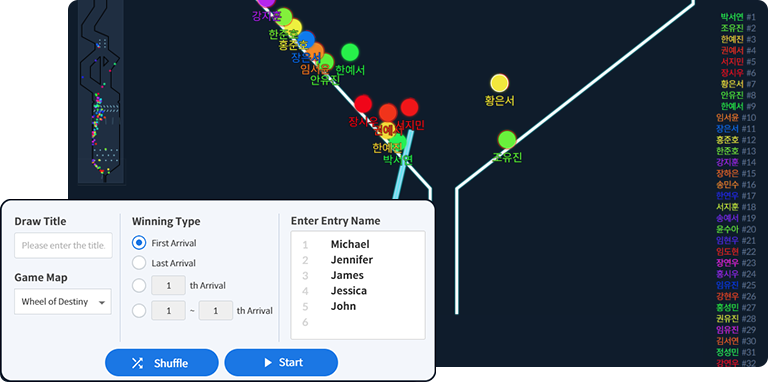
The organizer inputs entries on the draw screen and conducts a pinball draw.
The endpoint passing order determines winners, with various settings available.
You can register up to 1,000 participants.
※ The draw screen may lag on low-spec PCs.
※ The pinball draw was developed using source code under the MIT license by LazyGyu (https://github.com/LazyGyu).
Game Event Draw
Ducks race to the finish line, and the winners are determined by the order they finish.
Entries can be entered by typing names manually or by using automatic numbering.
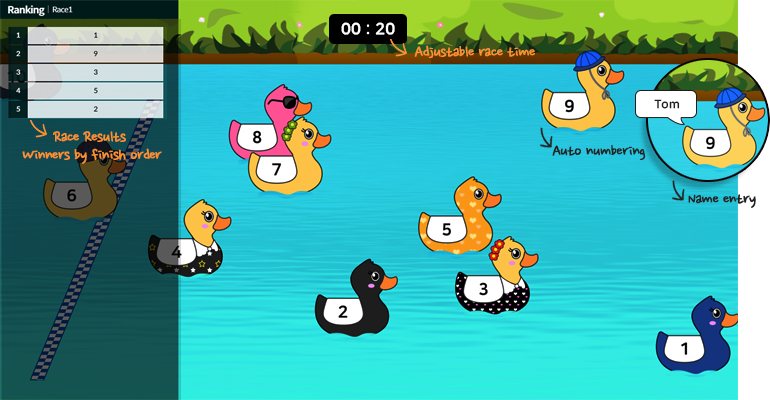
Game Event Draw
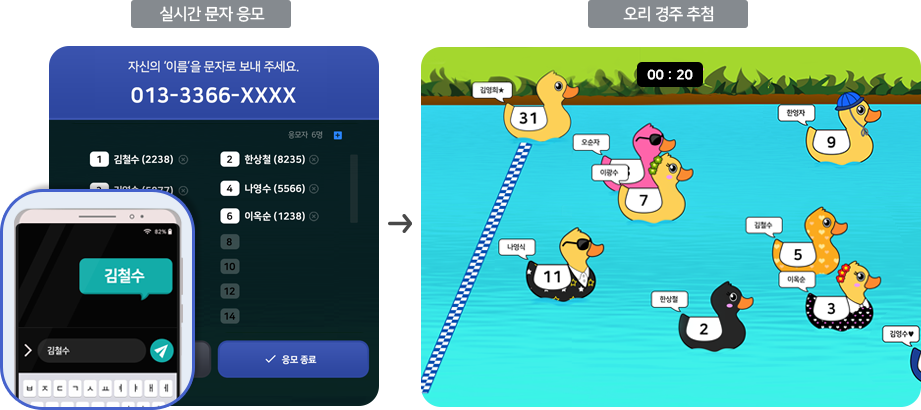
This is a draw where the ducks race and win in the order they arrive at the finish line.
A text reception number will be issued for text application. Participants can enter in real time by texting their name.
Game Event Draw
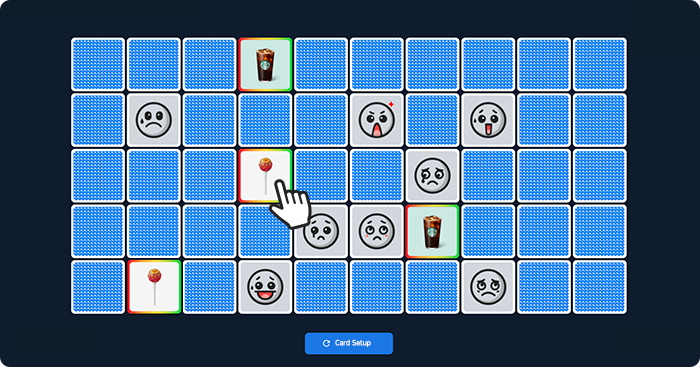
Many people can join each round.
Multiple entries can join in a single round of the game.
Each entry can flip only one card. All entries have an equal chance to win.
Game Event Draw
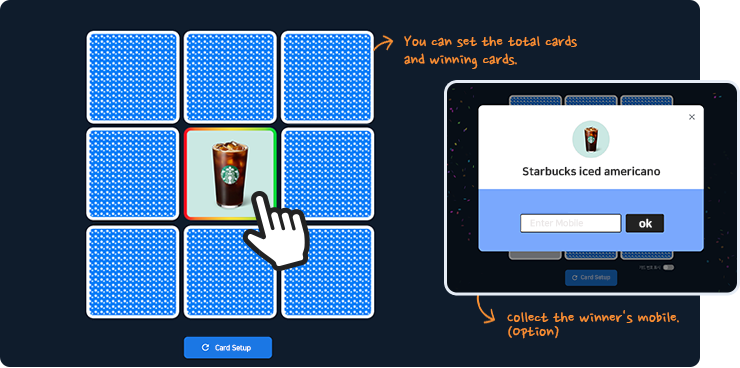
One person plays per round, with many rounds.
Only one entry can join in a single round of the game.
The entry can flip multiple cards, giving them several chances to win.
Game Event Draw
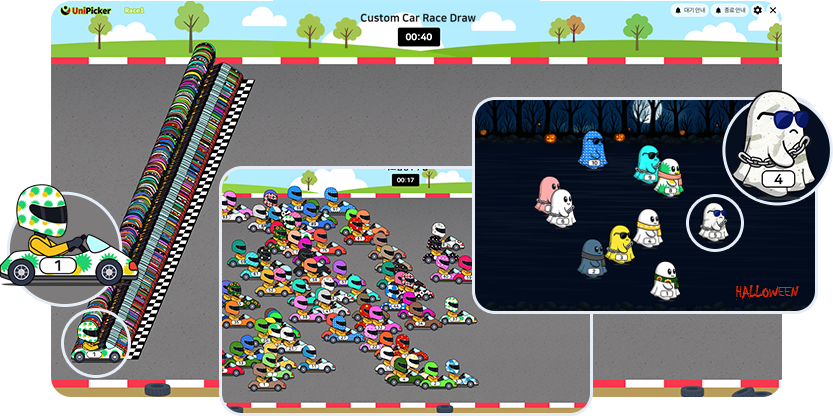
A custom race draw adds excitement to events and can be tailored to match the brand image.
Up to 500 entries can join, with names or numbers set in advance.
Customization is available for race characters, track background, company logo, and both wait and end screens.
※ This is a paid service that requires a custom setup. Event contact ☎ 1666-2370 cs@bbmobile.co.kr
Game Event Draw
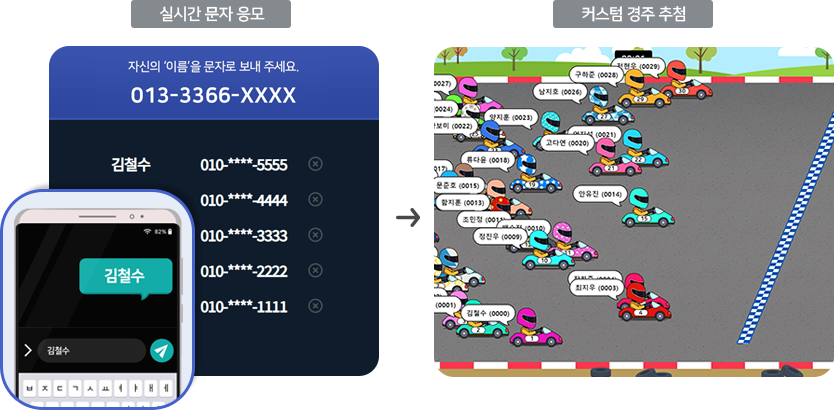
A custom race draw adds excitement to events and can be tailored to match the brand image.
A one-time SMS number is issued for entry. Entries are submitted in real time when names are sent via SMS. Up to 500 entries can join, with names or numbers set in advance.
Customization is available for race characters, track background, company logo, and both wait and end screens.
※ This is a paid service that requires a custom setup. Event contact ☎ 1666-2370 cs@bbmobile.co.kr
Game Event Draw
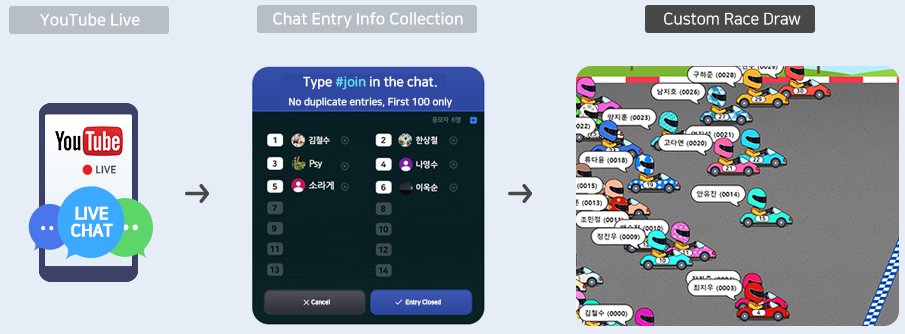
A custom race draw adds excitement to events and can be tailored to match the brand image.
During a YouTube live stream, a duck race can be held for chat entries.
Up to 500 entries can join, with names or numbers set in advance.
Customization is available for race characters, track background, company logo, and both wait and end screens.
※ This is a paid service that requires a custom setup. Event contact ☎ 1666-2370 cs@bbmobile.co.kr
SMS Event
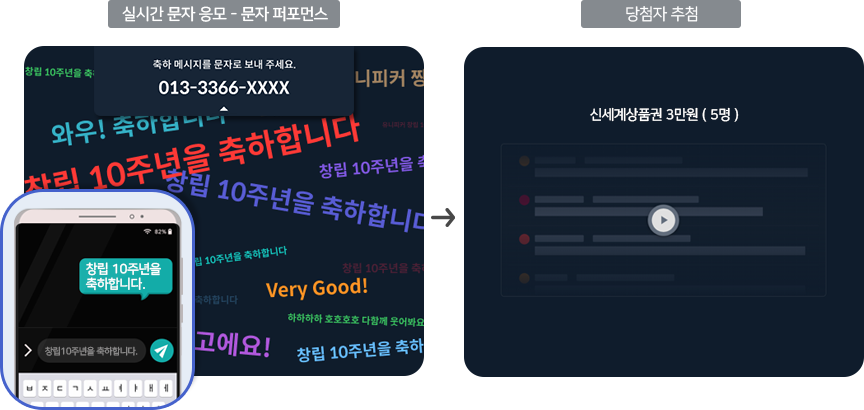
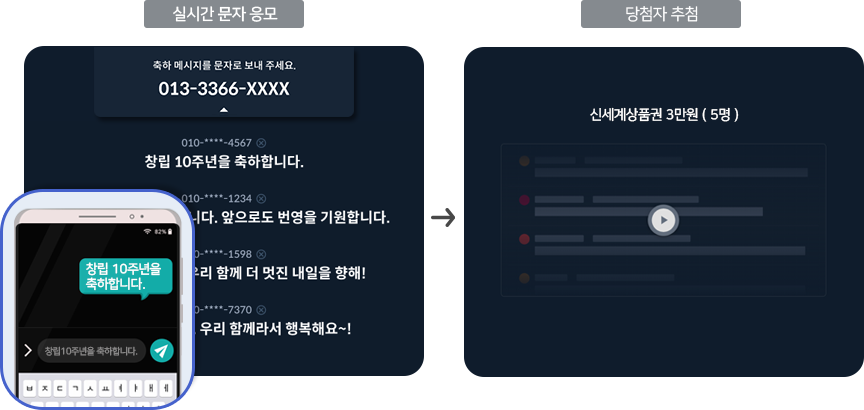
A one-time SMS number is issued for SMS entry. When entrants send a congratulatory message by SMS, they are entered in real time.
The messages sent by entrants are displayed colorfully on screen with animation effects.
After SMS entry ends, winners are drawn by rank / prize.
SMS Event
A temporary SMS number is issued for entry. Entries send congratulatory messages to participate in real-time.
Winners are drawn by rank and prize after the entry period ends.
AI Draw
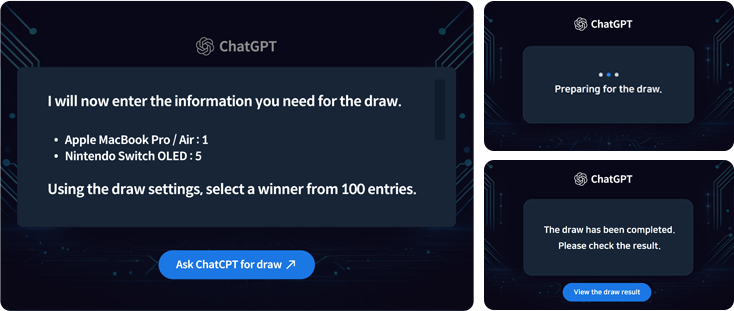
Conduct ranking/prize draws using ChatGPT.
By providing pre-set draw settings and entry information to ChatGPT, the AI analyzes the request in real time and generates the draw results.
SMS & Chat Voting
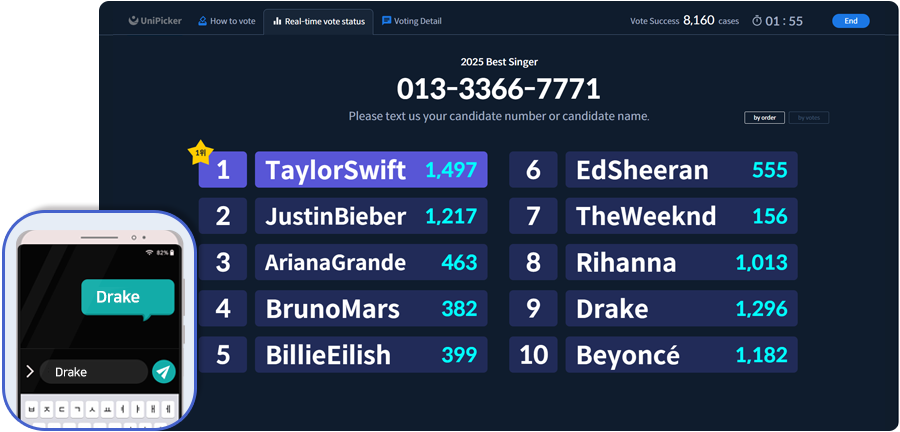
You can vote quickly and easily via text message.
If you send a text message with the candidate number or candidate name,
the results are counted in real time and you can check the results.
SMS & Chat Voting
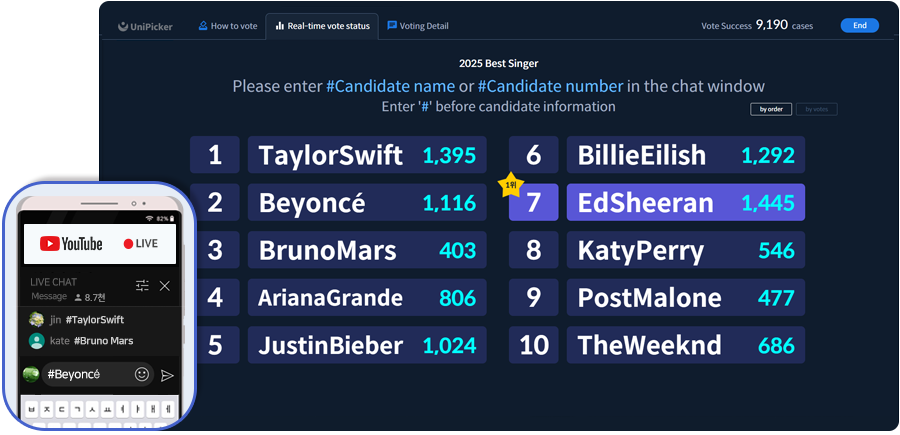
When broadcasting live on YouTube, you can vote for chat participants.
If you enter the candidate number or candidate name in the chat window,
the results will be counted in real time and you can check the results.